



“Show me the products in my store.” A merchant running PrestaShop 9.2 can ask that question in Ask AI. Behind the chat box, PrestaShop’s MCP server gives the assistant access to the store’s tools. But a developer who needs the same catalog already has an HTTP endpoint in the PrestaShop 9 Admin API. Why build another server to ask the same question from your own application?
That’s where UTCP gets interesting. If you build the application, you can teach it to call the store’s API directly. If you’re the merchant already using Ask AI, replacing a working integration mostly gives you another application to look after. Follow one request from the chat box to the catalog and the difference becomes clearer.
With MCP, the store tells the assistant which tools it offers
The Model Context Protocol defines how an application discovers and calls tools exposed by a server. In our example, the MCP client can request the list of available tools, pick the one that reads products and send its name and arguments to the server. The server knows how to retrieve the products. The client can use the tool without knowing the catalog URL or how PrestaShop reads the data.
There are three pieces behind that chat box. Ask AI is the interface the merchant uses. PrestaShop MCP Server handles the MCP connection. PrestaShop MCP Tools provides actions for products, orders and customers. That last distinction matters here. According to the module documentation, its standard tools rely on PrestaShop Webservices being enabled, and the module creates its own webservice token. The newer Admin API is a separate interface. We’ll use it for the UTCP example below. PrestaShop MCP documentation · Ask AI in PrestaShop 9.2
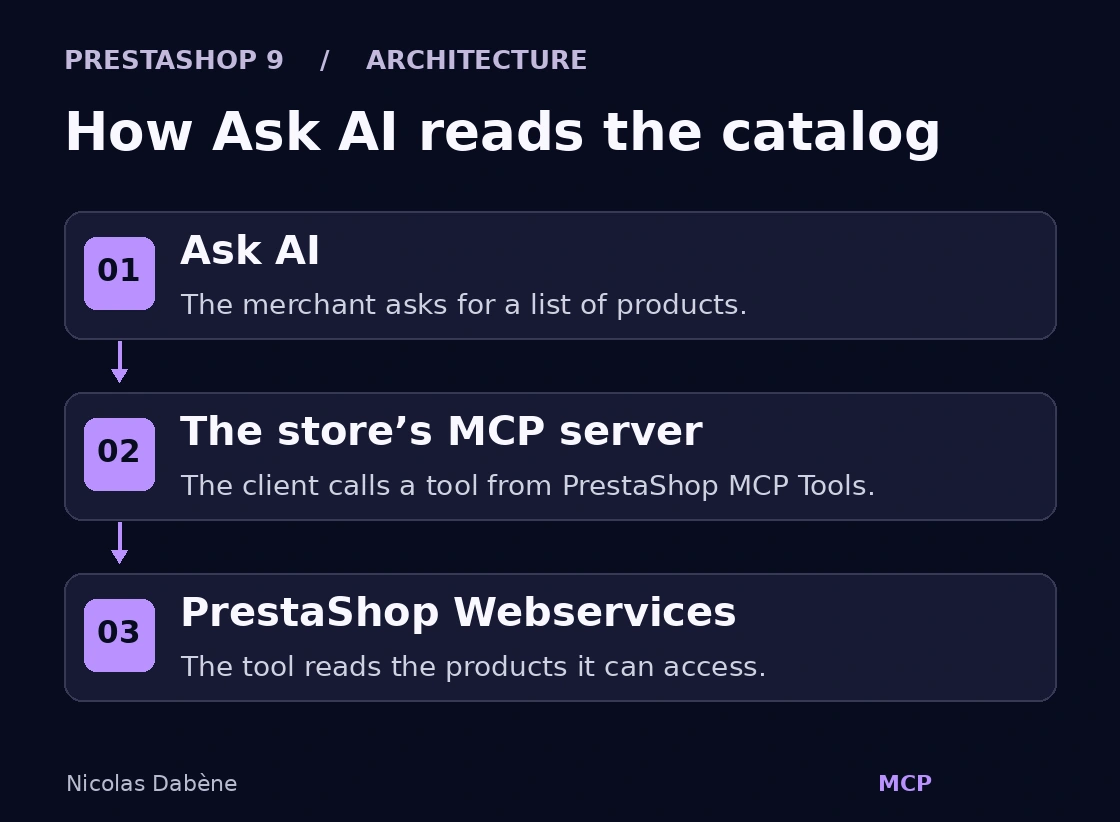
For the merchant, the appeal is practical. Someone has already selected useful operations, implemented them and provided a place to configure access. For a developer building another MCP-compatible assistant, the benefit is different. That assistant can connect to the same server and discover the tools it is allowed to use. The trade-off becomes apparent when the merchant asks for something the server doesn’t expose. Someone has to add that tool or find another way to perform the operation.
With UTCP, your application gets the instructions for calling the API
UTCP stands for Universal Tool Calling Protocol. For an HTTP API, the idea is straightforward. A structured document called a manual describes a tool, what it does and how to call it. When the agent selects the tool, the UTCP client in your application constructs the request and sends it to the specified URL. PrestaShop receives an ordinary HTTP request. UTCP introduction
What do you install on the store? Reading products through the existing Admin API requires no UTCP module on PrestaShop. On the store side, you check that the API is reachable and configure an OAuth2 client with the product_read scope. On the application side, you integrate the UTCP client and its HTTP support. The manual can live in your repository or at a URL your application knows about. Your application loads it. That gives you a way to try this approach without asking the merchant to deploy another module. Using the PrestaShop Admin API · Writing a UTCP manual
Here’s the tool entry I’d write for this application. I chose the name list_products. This is an excerpt from a manual, with a placeholder for the store’s URL.
{
  "name": "list_products",
  "description": "Read one page of the store's product catalog.",
  "inputs": { "type": "object", "properties": {} },
  "tool_call_template": {
    "call_template_type": "http",
    "http_method": "GET",
    "url": "https://store.example/admin-api/products",
    "headers": { "Authorization": "Bearer ${PRESTASHOP_ACCESS_TOKEN}" }
  }
}
The variable refers to a valid token obtained by the application. The actual token stays out of the manual and the model’s context. When it expires, the application needs a fresh one. If it lacks the product read scope, PrestaShop rejects the request. And if the merchant asks for the entire catalog, the application still has to handle pagination. Our tool entry describes a single read. UTCP HTTP support · Admin API access and scopes
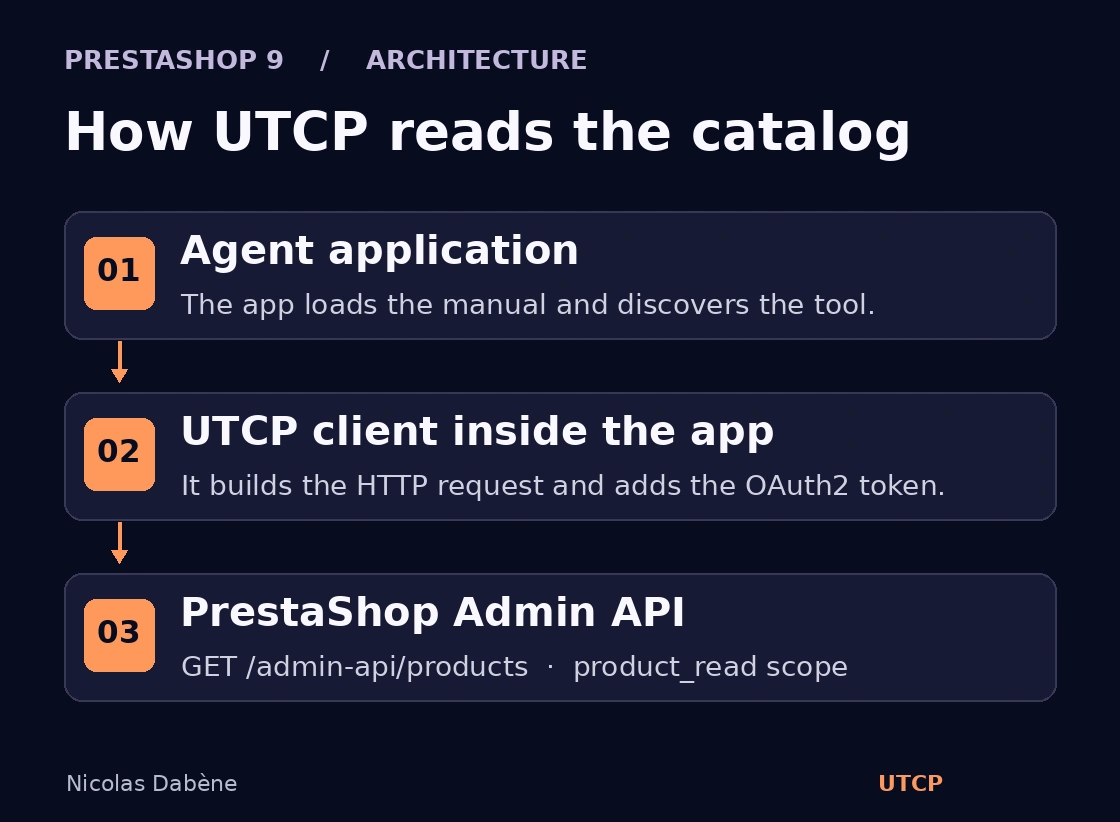
Both requests start with “Show me the products.” In Ask AI, the store’s MCP tool handles the read through Webservices. In our application, the client uses the manual to send its own HTTP request to the Admin API.
Who does the work when the store changes?
Suppose a product read operation changes in the next release. With MCP, the server maintainer can adapt the implementation while preserving the tool’s name, inputs and result. Every assistant that uses that tool benefits from the same fix. The cost is maintaining that interface and testing it against the store versions you support.
With UTCP, an endpoint URL change might take a single edit to a shared manual. If the response changes shape, or a field takes on a different meaning, you’ll also need to check how each application uses it. Describing an existing API saves you from writing an adapter for every simple request. In return, you own the client integration, its credentials and the process for distributing manual updates. An assistant that accepts an MCP server URL needs additional integration to consume a UTCP manual directly.
| Practical question | MCP in this store | UTCP in our application |
|---|---|---|
| Who provides the tools? | The PrestaShop modules publish tools for compatible clients to discover. | Your team selects Admin API operations and describes them in the manual. |
| Who makes the request? | The assistant calls the MCP server, which executes the tool. | Your application sends the HTTP request itself. |
| Where do permissions live? | In the MCP server, user and tool configuration. | The Admin API grants the scopes. Your application obtains and uses the token. |
| What does it take to get started? | Little extra work if the merchant already has Ask AI and the right tools. More if you need to build and operate a server. | Little extra work if the app already supports UTCP and the endpoint does the job. Otherwise you need the client integration and the tool description. |
“Which products should I reorder?”
It sounds like another catalog query. But the merchant has changed the question. Take two SKUs with three units left. The first sells once a month and the supplier delivers in two days. The second sells twice a day and its next delivery is three weeks away. “Three units in stock” is accurate for both. Suggesting the same reorder quantity would be a mistake.
To produce that report, you need to decide how to calculate average sales, account for outstanding purchase orders and handle variants. Fifteen units of XL won’t help the customer waiting for a medium. The merchant needs to trust that the same rules will apply the next time someone runs the report, whichever assistant they use.
If the ERP already calculates replenishment needs and exposes the suggestions through an endpoint, I’d describe that operation in a UTCP manual for my internal agent. The purchasing team could still verify the calculation in the ERP. If the merchant wanted that report inside Ask AI, I’d publish an MCP tool that calls the same calculation. Both interfaces could then return the same quantities, even the day after a purchasing rule changes. And if there’s no calculation yet? I’d write it and check it with the person who actually places the orders.
Which one would I use?
For a merchant using Ask AI to query a catalog, I’d keep MCP. The merchant already has the interface, the product tools and a way to manage access. Adding UTCP just for this would mean building a second application to retrieve the same list.
For an internal agent backed by existing company APIs, I’d look at UTCP before writing an MCP server. Start with one real operation, such as reading products with a read-only credential. You’ll soon find out whether describing the endpoint is enough or whether the agent needs a higher-level operation. Owning the client gives you that choice.
For an agent working across PrestaShop and internal systems, I’d use both where appropriate. Keep the store’s MCP server and describe suitable internal APIs in manuals. UTCP provides an MCP plugin that allows its client to use tools already published by an MCP server. That lets you keep a working integration while choosing how to expose the next one. MCP support in UTCP
Does UTCP spell the end of MCP? No. But it gives me a reason to pause before building my next MCP server. If all I’d be writing is a translation from tool calls to well-documented HTTP requests, I’d start with a manual. If a merchant asked me tomorrow for a replenishment report in Ask AI, I’d deliver an MCP tool in their back office. In both cases, I’d start with the same question. Where will the person who needs this actually use it?